

Hola a todos, hoy os voy a enseñar como podemos gestionar atributos en nuestros webcomponents.
En webcomponents tenemos atributos que podemos utilizar como entrada de valores de nuestro webcomponent.
Vamos a usar este webcomponent de base.
|
1 2 3 4 5 6 7 8 9 10 11 12 13 14 15 16 17 18 19 20 21 22 23 24 25 26 27 28 29 30 31 32 |
class ShowMessage extends HTMLElement { constructor(){ super(); // Creamos un shadow para añadir contenido let shadow = this.attachShadow({ mode: 'open'}); // Creamos un span const button = document.createElement('button'); // Creamos un texto para un span const buttonText = document.createTextNode('Mostrar mensaje'); // Añadimos el texto al span button.appendChild(buttonText); // Añado el span al shadow shadow.appendChild(button); } connectedCallback(){ // Añado evento de click this.addEventListener('click', function(){ alert(this.value); }) } } // Crea el webcomponent customElements.define('show-message', ShowMessage); |
A la etiqueta «show-message» le podemos poner atributos que queramos, por ejemplo:
|
1 2 3 4 5 6 7 8 9 10 11 12 13 |
lang="en"> charset="UTF-8"> http-equiv="X-UA-Compatible" content="IE=edge"> name="viewport" content="width=device-width, initial-scale=1.0"> |
Para obtener un atributo, usamos getAttribute y el nombre del atributo y con setAttribute podemos recogerlo y setearlo. Lo añadimos:
|
1 2 3 4 5 6 7 |
get value() { return this.getAttribute('value'); } set value(value) { this.setAttribute('value', value); } |
Quedando así:
|
1 2 3 4 5 6 7 8 9 10 11 12 13 14 15 16 17 18 19 20 21 22 23 24 25 26 27 28 29 30 31 32 33 34 35 36 37 38 39 40 |
class ShowMessage extends HTMLElement { constructor(){ super(); // Creamos un shadow para añadir contenido let shadow = this.attachShadow({ mode: 'open'}); // Creamos un span const button = document.createElement('button'); // Creamos un texto para un span const buttonText = document.createTextNode('Mostrar mensaje'); // Añadimos el texto al span button.appendChild(buttonText); // Añado el span al shadow shadow.appendChild(button); } connectedCallback(){ // Añado evento de click this.addEventListener('click', function(){ alert(this.value); }) } get value() { return this.getAttribute('value'); } set value(value) { this.setAttribute('value', value); } } // Crea el webcomponent customElements.define('show-message', ShowMessage); |
Fíjate que uso el value dentro connectedCallback.
Importante, los atributos no se pueden usar en el constructor.
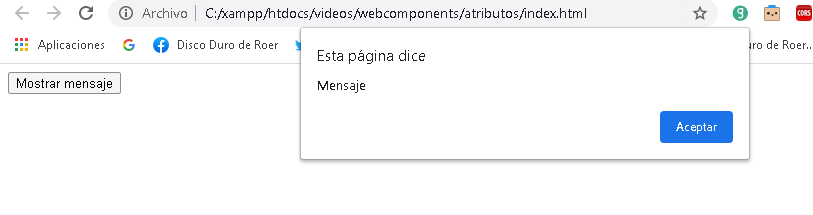
Este seria el resultado:
Os dejo un video donde trato el tema de los atributos:
Espero que os sea de ayuda. Si tenéis dudas, preguntad. Estamos para ayudarte.


Deja una respuesta