

Hola a todos, hoy os explicare como mostrar Alerts en JavaFX.
Tanto en JavaFX como en Swing, necesitamos mostrar alertas al usuario, ya sea para informar o alertar del estado de la aplicación.
En JavaFX, es algo diferente de hacer, se tiene que usar una clase llamada Alert.
Los tipos de alertas que hay son:
- ERROR
- INFORMATION
- WARNING
- CONFIRMATION
Veamos un pequeño ejemplo:
|
1 2 3 4 5 6 7 8 9 10 11 12 13 14 15 16 17 18 19 20 21 22 23 24 25 26 27 28 29 30 31 32 33 34 35 36 37 38 39 40 41 42 43 44 |
@FXML private void mostrarAlertError(ActionEvent event) { Alert alert = new Alert(Alert.AlertType.ERROR); alert.setHeaderText(null); alert.setTitle("Error"); alert.setContentText("Error en la aplicacion"); alert.showAndWait(); } @FXML private void mostrarAlertInfo(ActionEvent event) { Alert alert = new Alert(Alert.AlertType.INFORMATION); alert.setHeaderText(null); alert.setTitle("Info"); alert.setContentText("Informacion sobre la aplicación"); alert.showAndWait(); } @FXML private void mostrarAlertWarning(ActionEvent event) { Alert alert = new Alert(Alert.AlertType.WARNING); alert.setHeaderText(null); alert.setTitle("Info"); alert.setContentText("Warning en la aplica"); alert.showAndWait(); } @FXML private void mostrarAlertConfirmation(ActionEvent event) { Alert alert = new Alert(Alert.AlertType.CONFIRMATION); alert.setHeaderText(null); alert.setTitle("Confirmacion"); alert.setContentText("¿Deseas realmente confirmar?"); alert.showAndWait(); } @FXML private void mostrarAlertCabecera(ActionEvent event) { Alert alert = new Alert(Alert.AlertType.INFORMATION); alert.setHeaderText("Cabecera"); alert.setTitle("Info"); alert.setContentText("Informacion sobre la aplicación"); alert.showAndWait(); } |
Seguramente, os preguntéis, que es lo de alert.setHeaderText, esto lo que hace es ponernos una cabecera en el alert.
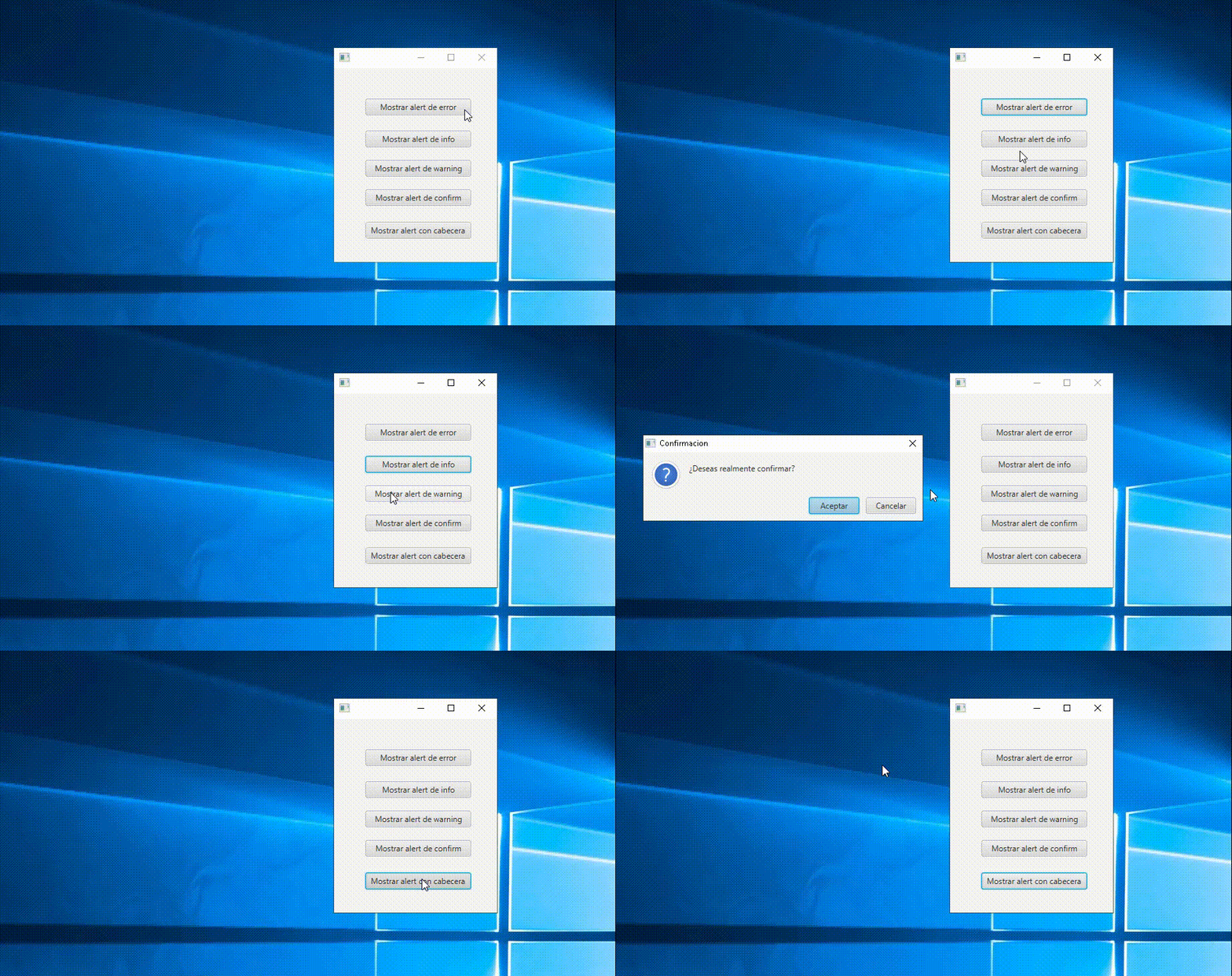
Este es el resultado final:
¿Quieres descargar el proyecto? Aquí lo tienes.
Espero que os sea de ayuda. Si tenéis dudas, preguntad. Estamos para ayudarte.


Deja una respuesta